Direct Comparison

Mongo GUI vs NoSQLBooster

Choose Mongo GUI if you want a native macOS workspace for document browsing, reusable queries, dashboards and optional review-first AI. Choose NoSQLBooster if an embedded shell, JavaScript editing, SQL queries or script debugging are central to your MongoDB work across platforms. Mongo GUI is free during beta; NoSQLBooster offers a trial, a limited free edition and paid licenses.

Last reviewed: October 9, 2026Written by ILO APPLICATIONS SLDisclosure: vendor-authored comparison
Try Mongo GUI for macOS

Requires macOS 15.0 Sequoia or later, Apple Silicon (M-series) Macs. Intel Macs are not supported yet. Version 0.30.0, 16.3 MB, released 29 Oct 2026. Release notes.

Compare features
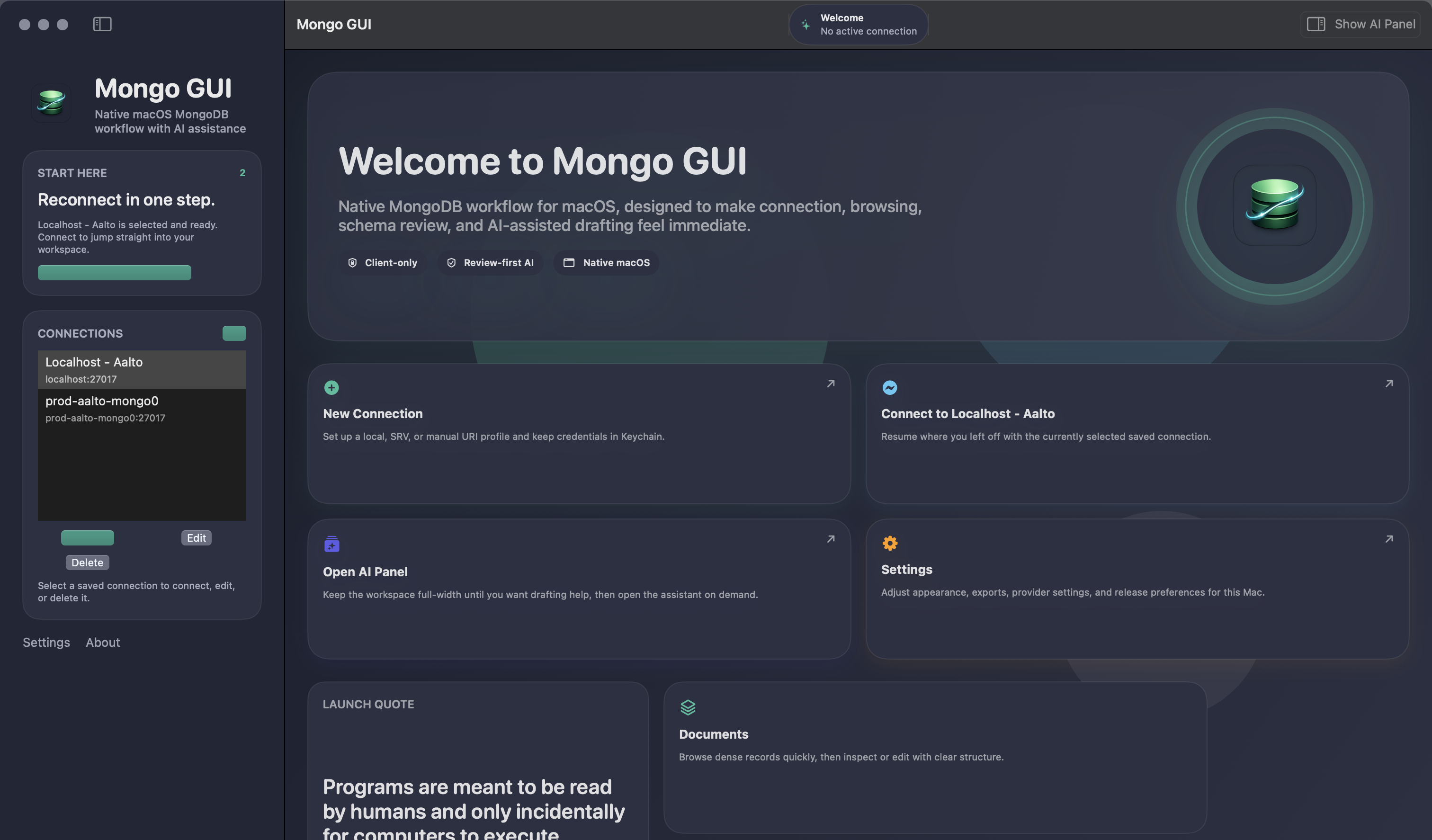
Mongo GUI welcome page in dark mode on macOS
Mongo GUI’s native macOS workspace is the focus of this comparison.

How this comparison was written

ILO APPLICATIONS SL publishes Mongo GUI and this comparison. It is a vendor-authored guide, following our editorial policy. Mongo GUI facts come from the existing site; NoSQLBooster capability descriptions come from the official sources linked below, reviewed on October 9, 2026. Recommendations describe workflow fit, and feature availability can depend on edition and configuration.

Side By Side

Compare the workflows that matter

Mongo GUI vs NoSQLBooster: public capabilities and workflow fit.
Feature areaMongo GUINoSQLBooster
PlatformNative macOS app with a Swift/SwiftUI shell.Desktop client for macOS, Windows and Linux.
ConnectionsDirect, SRV and manual URI connections; TLS, SSH and saved profiles.MongoDB connections with SSH tunneling and SSL support; replica-set and shard management tools.
Browsing and editingDocument table, inspector, structured editing, document search, pagination and batch actions.Table-oriented results, nested field groups and a two-way Visual Query Builder.
Query workflowQuery completion, named presets, recent draft replay and copy-as-mongosh handoff.Embedded shell, IntelliSense, SQL SELECT queries, fluent queries and script debugging.
ExportCSV and JSON for active results or selected rows, including aggregation results.JSON/CSV import and export; additional SQL export and scheduled task workflows.
Dashboards and monitoringDatabase dashboards, Smart Create, Slow Query Advisor and live watch.Visual Explain, log parsing and monitoring tools; compare with your required dashboard workflow.
AIOptional assistant using your own key; review-first drafts and local snippet verification.AI Helper generates queries from natural language; custom AI endpoints and schema context options are documented.
Price modelFree during beta; no active paid plan. Future pricing is undecided.30-day trial, then a limited free edition; paid licenses and Software Assurance affect feature access.

Compare feature access in the edition you plan to use, especially after a trial ends. See Mongo GUI’s current pricing status.

When NoSQLBooster is the better choice

NoSQLBooster is a sensible shortlist choice when you spend much of the day writing MongoDB scripts. Its official feature tour describes IntelliSense, reusable snippets, fluent queries and a debugger with breakpoints. These are concrete reasons for a developer to evaluate a shell-oriented IDE, particularly when a task involves more than inspecting one document or adjusting a saved filter.

The SQL query surface is another reason to try it. NoSQLBooster documents SQL SELECT queries over MongoDB, including joins and aggregation expressions. If SQL is how you prefer to explore a dataset, test that workflow against your document structure. Mongo GUI’s existing pages describe MongoDB query drafting and replay; they do not claim a matching SQL interface.

NoSQLBooster also supports macOS, Windows and Linux. For a team that shares scripts across operating systems, a common client may be practical than choosing a Mac-only application. Its feature tour describes task scheduling and additional export workflows, so check whether those tools and their edition requirements fit recurring jobs you currently perform manually.

When Mongo GUI is the better choice

Mongo GUI is worth evaluating as a NoSQLBooster alternative if the work you repeat is primarily browsing collections, searching documents, refining filters and sharing results on a Mac. Its published features include a native Swift/SwiftUI shell, a document table and inspector, structured editing, query completion and named presets. Start with how comfortably those pieces fit your daily routine.

Operational context is part of that evaluation. Mongo GUI’s site describes database dashboards, Smart Create widgets, Slow Query Advisor and live watch in the same workspace. NoSQLBooster also documents monitoring-related tools, including Visual Explain and log parsing. Compare the specific question you need to answer: a query plan investigation is different from keeping an overview of database activity nearby.

Mongo GUI’s published connection story includes SSH, TLS, saved profiles, Keychain-backed secrets and workspace restoration. Those may suit a Mac-focused workflow, but they do not prove it is faster than NoSQLBooster. This comparison includes no measured speed ranking, database-size promise or claim that either product can handle every deployment configuration.

AI, free editions and a useful trial

Both clients describe AI features, so the choice is not simply whether AI exists. Mongo GUI emphasizes user-owned keys, proposed actions and local verification of MongoDB snippets. NoSQLBooster documents a built-in AI Helper, configurable endpoints and selectable schema context. Check how the client presents generated code, which information leaves the workspace and what your edition permits before using sensitive data.

Mongo GUI is free during beta, while future pricing remains undecided. NoSQLBooster’s download page describes a 30-day trial followed by a free edition with limited functions. Its edition matrix and Software Assurance terms matter if you depend on advanced features. Evaluate the edition you would actually keep using after the trial, rather than assuming trial access is permanent.

Compare both tools with the same authorized test collection. Open a nested document, search for a field, refine a query, export the selected results and restore your workspace. If scripts are central, add a debugging task in NoSQLBooster; if an overview is central, try Mongo GUI’s dashboard.

FAQ

Questions before choosing a MongoDB client

Is Mongo GUI a NoSQLBooster alternative on macOS?

Yes, if you want native macOS document browsing, query replay, CSV/JSON export, dashboards and optional AI. NoSQLBooster may fit better when an embedded shell, SQL queries or script debugging drive your daily work.

Does NoSQLBooster support macOS, Windows and Linux?

Yes. NoSQLBooster’s official download page lists all three platforms. Mongo GUI is a native macOS client, so a team that needs the same application on Windows or Linux should consider a cross-platform option.

Which client should I try for SQL or JavaScript-heavy work?

Try NoSQLBooster if SQL SELECT queries, IntelliSense and a MongoDB script debugger are requirements. Mongo GUI focuses its published query workflow on completion, presets, draft replay and mongosh handoff rather than claiming equivalent SQL or debugging tools.

Do both clients have AI features?

Yes. Mongo GUI offers an optional assistant with your own key and local snippet verification. NoSQLBooster documents AI Helper, natural-language query generation and configurable AI endpoints. Confirm edition limits and data-sharing settings before use.

Is NoSQLBooster’s free edition the same as its trial?

No. Its official download page describes a 30-day trial followed by a free edition with limited functions. Check the current edition matrix and Software Assurance requirements. Mongo GUI is free during beta, with future pricing undecided.