
Document rows, selection, query drafts, pagination, and inspector state are treated as the active path. Exact counts and collection metadata can update after the visible workspace is already usable.
MongoDB Performance On macOS
Fast MongoDB client for macOS.
Mongo GUI is built as a performance-first native MongoDB client for macOS. The app prioritizes visible document rows, query editing, selection, pagination, and inspector controls before slower optional work like exact counts, storage metrics, sidebar labels, dashboard insight, schema warmups, previews, and diagnostics.
We do not claim "fastest MongoDB GUI" without public benchmark data across competing tools. The concrete claim is stronger: Mongo GUI is designed so real production browsing stays responsive even when metadata, remote hosts, SSH tunnels, large collections, or mobile network links slow down the surrounding work.
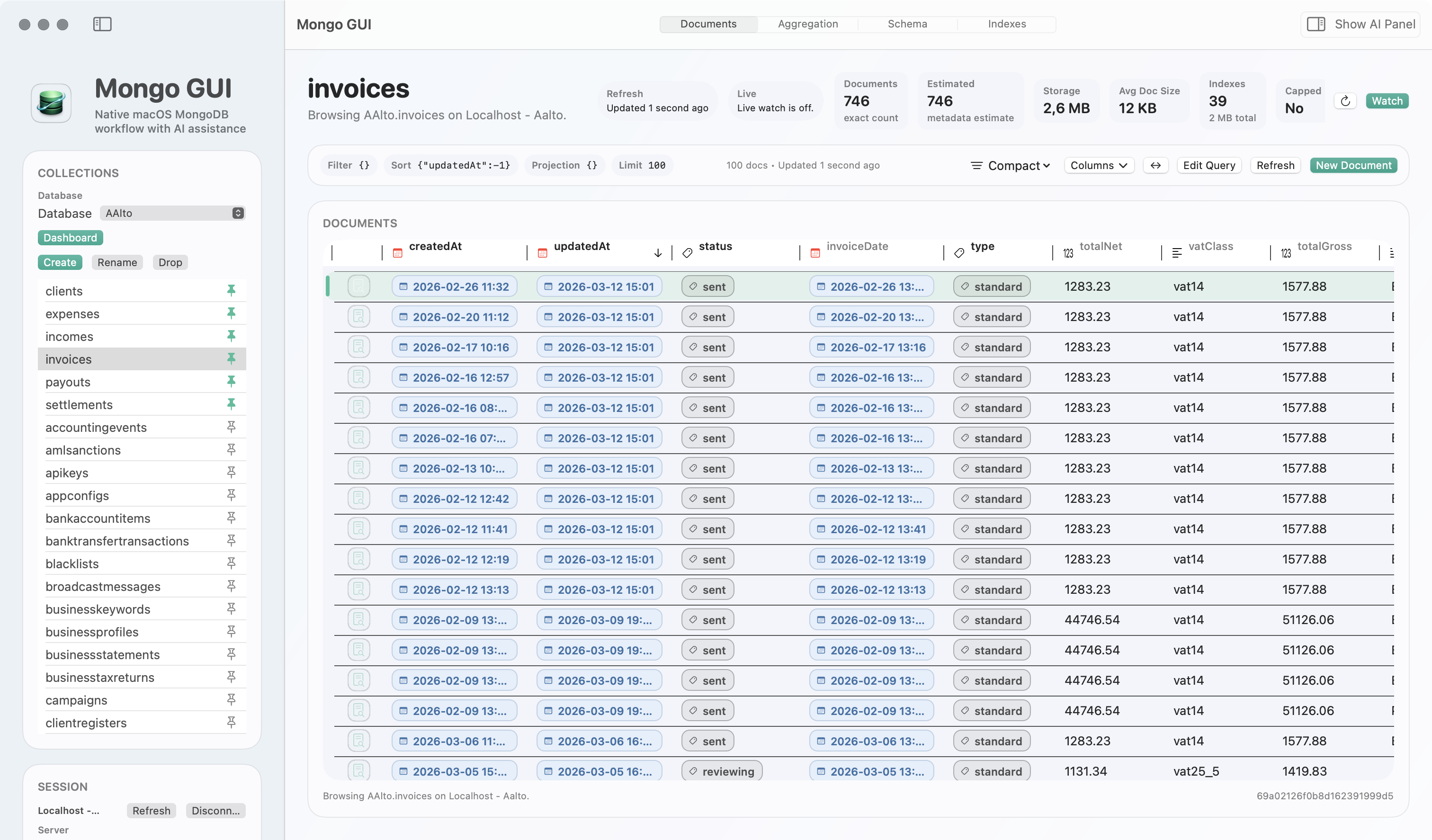
Sidebar counts, schema warmups, Smart Create ranking, performance refreshes, hover previews, and reference lookups pause, cancel, or run in lower-priority lanes when foreground browsing starts.
Reconnect restoration brings the user back to the active database, collection, query draft, selection, page index, and visible workspace surface instead of forcing a cold restart.
Performance Model
Optimized for the work users feel.
Database tools often feel slow when the UI waits for every supporting number before showing the data. Mongo GUI separates the foreground path from supporting metadata, preserving depth without blocking the user.
Show documents and keep active controls responsive.
Refresh counts, storage metrics, labels, and diagnostics without freezing browsing.
Use recent page cache entries for faster repeat visits to the same collection and query.
Restore the visible document workspace after slow or interrupted connections return.
"Fastest MongoDB client for macOS" is a benchmark claim. To use it cleanly, we would need a published method, repeatable test data, hardware details, network conditions, and current competing builds. Without that, the site should say what is provable: Mongo GUI is performance-first, row-first, and optimized for responsive production browsing.
The fair marketing line is that Mongo GUI is probably the best fit for macOS users who want a native MongoDB client focused on responsive document browsing, slow-link resilience, quick reconnect recovery, and local-control AI verification.
What This Means In Practice
Performance features built into the workflow
| Capability | Why it matters | User-facing outcome |
|---|---|---|
| Row-first refresh | Visible documents do not wait for every exact count and metadata task. | Browsing starts sooner on large or slow collections. |
| Background operation lanes | Optional metadata work runs behind foreground browsing instead of competing with it. | Navigation, query editing, and selection remain responsive. |
| Cached recent pages | Recent result pages are remembered by connection, collection, query, page, limit, and generation. | Repeat visits to active work feel faster. |
| Reconnect restoration | The app captures and restores the workspace state around reconnects. | Users return to the same working context after slow or interrupted connections. |
| Slow-link-friendly defaults | Connection timeout defaults are more forgiving for remote and mobile-network workflows. | Large production environments are less likely to feel brittle. |
| UI-thread reductions | Table sizing, sidebar rows, inspector state, and editor formatting are optimized to reduce avoidable UI work. | The app feels calmer during dense document review. |
FAQ
Short answers about Mongo GUI performance
These are the questions that usually sit behind searches for a fast MongoDB client on macOS.
Is Mongo GUI the fastest MongoDB client for macOS?
Mongo GUI does not claim fastest without public benchmark data across competing tools. The responsible claim is that it is performance-first, row-first, and optimized for responsive production browsing.
What makes Mongo GUI feel fast on large or slow MongoDB collections?
Mongo GUI prioritizes visible document rows, query editing, selection, pagination, and inspector controls before slower optional work like exact counts, storage metrics, schema warmups, previews, and diagnostics.
Does Mongo GUI restore context after reconnecting?
Yes. Reconnect restoration brings the user back to the active database, collection, query draft, selection, page index, and visible workspace surface after slow or interrupted connections return.
Download
Try the performance-first MongoDB client for macOS.
Mongo GUI is free during beta and built for developers, solo builders, consultants, and operators who spend real time inside MongoDB and want a native desktop workflow that stays responsive.